
The Ultimate Remote Work Tech Setup in 2026
Upgrade your home office. Here is the definitive tech setup for remote workers in 2026, focusing on ergonomics, productivity, and professional presence.
TL;DR — Key Takeaways
- •Ergonomics First: Do not compromise on your chair. The Herman Miller Embody remains top tier.
- •Audio > Video: People forgive bad lighting, they hate bad audio. Invest in a dynamic microphone.
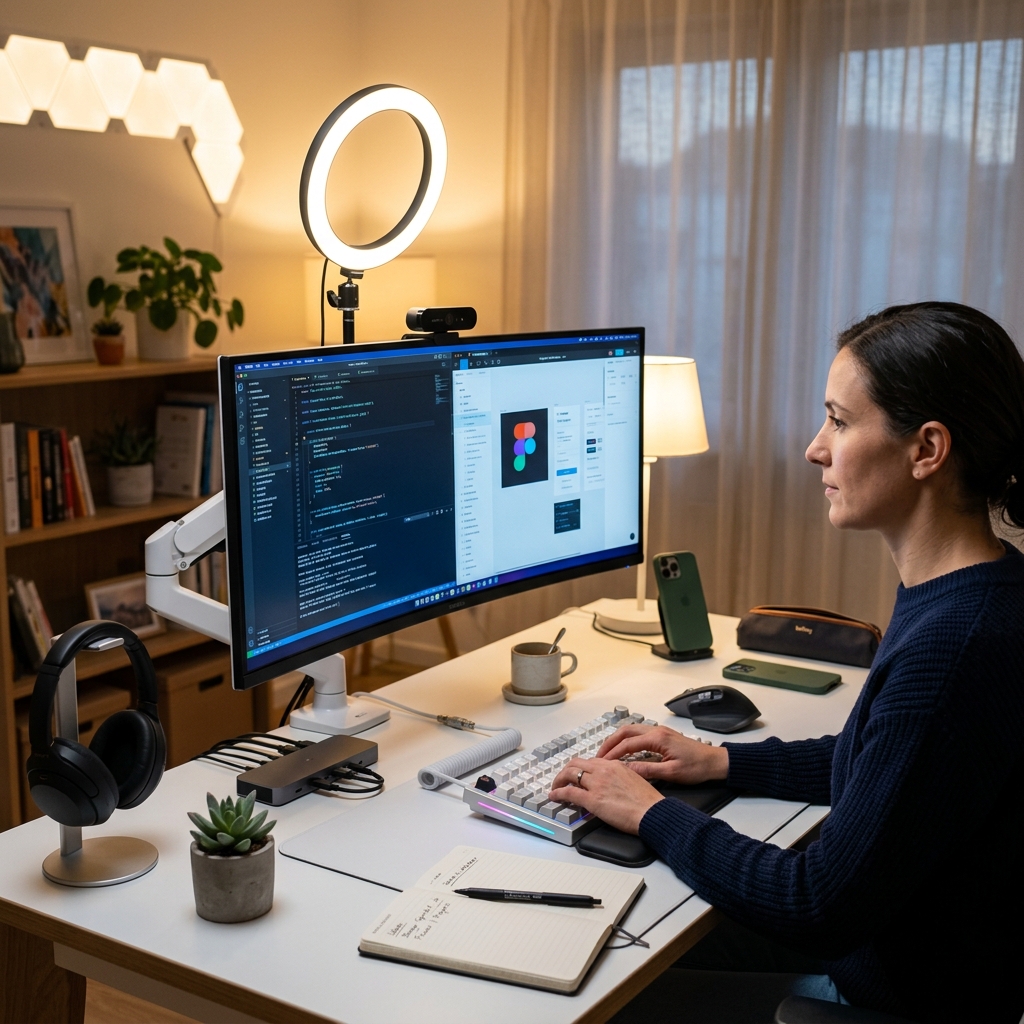
- •Visuals: An ultrawide monitor is superior to a dual-monitor setup for neck health and window management.
Working from a laptop on your couch isn't cute anymore. Here are the investments that actually improve your remote workflow, ergonomics, and professional presence in 2026.
1. Ergonomics
Your body wasn't designed to hunch over a 14-inch screen. An ergonomic chair (like a Herman Miller or Steelcase) is an investment in your spine. Pair this with a high-quality standing desk and an ergonomic split keyboard to prevent repetitive strain injuries.
2. Monitors
The era of dual 1080p monitors is over. A single 34-inch or 38-inch ultrawide monitor with USB-C power delivery transforms your workflow. It eliminates the bezel gap, reduces cable clutter to a single wire, and allows for seamless window management.
3. Professional Audio
Nothing ruins a professional meeting faster than bad audio. Upgrade from built-in laptop mics to a dedicated dynamic microphone (like the Shure MV7) mounted on a boom arm. Pair this with closed-back headphones or high-quality IEMs to eliminate echo and background noise.
4. Lighting Matters
A high-quality 4K webcam is useless if your face is hidden in shadows. Key lighting is essential. Use a diffused LED panel placed slightly above and behind your monitor. Proper lighting conveys professionalism and keeps meeting attendees engaged.
Frequently Asked Questions
Is an ultrawide monitor better than dual monitors?
Do I really need an external microphone?
Are standing desks worth the investment?
Marcus Vance
Telecommunications Analyst & Tech Journalist. Reporting on network infrastructure, 5G deployment, and the future of connectivity. Learn more →